It cannot know your brand automatically
A generated video may be coherent but still use the wrong tone, colors, or terminology for your organization.
Workaround: provide brand guidance and inspect every title, logo, and visual choice.
A plain-English definition
If you’re asking what is veed ai, the short answer is simple: VEED AI is a browser-based video creation tool that helps turn an idea, script, image, or recording into a polished edit. It combines AI video generation with practical editing tools, so you can create a first draft quickly and still control the final result.
Try VEED AIThe basic workflow
VEED AI keeps the process focused on a useful draft rather than a complicated production setup. You describe the result, choose the direction, and refine what the AI video creates.
Start with a prompt, script, image, or uploaded clip. VEED AI uses that input to understand the subject, mood, pacing, and intended format.
The AI video workflow can assemble visuals, timing, captions, music, and voice elements into a starting edit instead of a blank timeline.
Review the generated sequence, replace scenes, adjust text, trim clips, and export a version sized for your channel or campaign.
VEED AI sits between an automatic generator and a familiar online editor. If you want to explore the creation side, an AI video generator can help you move from a concept to scenes. If you already have footage, the VEED AI video editor gives you a more direct way to cut, caption, and arrange it. Browsing VEED AI examples can also make the range of outputs easier to understand.
A quick visual
The main difference is the starting point. A traditional edit begins with raw material and a timeline; VEED AI can begin with a direction and help shape the material around it. The result is still something you should review, but the first pass arrives with structure.
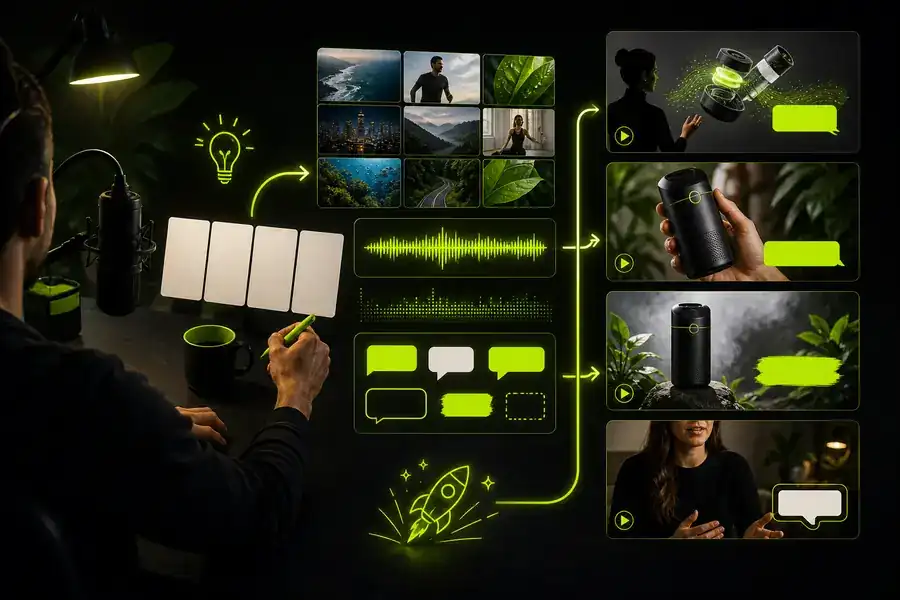

AI accelerates the distance between a blank page and a usable draft; your review supplies the judgment, accuracy, and brand detail.
Set the right expectation
VEED AI is useful because it handles repetitive production work quickly, not because it removes every creative decision. These caveats help you judge an AI video draft realistically.
A generated video may be coherent but still use the wrong tone, colors, or terminology for your organization.
Workaround: provide brand guidance and inspect every title, logo, and visual choice.
VEED AI can arrange a persuasive story while misstating a name, date, statistic, or product detail.
Workaround: verify claims against your source material before publishing.
The first cut may have the right ingredients but the wrong emphasis, rhythm, or emotional payoff.
Workaround: treat the draft as an editable starting point, not a finished decision.
A vague prompt usually produces a generic result, even when the editing tools are capable.
Workaround: name the audience, format, subject, voice, and desired action.
A practical audience
VEED AI is built for people who need publishable video without a full studio workflow. Social teams can turn campaign ideas into variations, educators can explain a topic with captions, and creators can test formats quickly. Small businesses use the AI video workflow for product clips, announcements, tutorials, and short-form posts.
Answers at a glance
It is used to create, edit, caption, resize, and polish videos for social posts, marketing, education, presentations, and other online channels.
It combines both. VEED AI can help create a first video from an idea, then lets you edit the sequence with browser-based controls.
Yes. Depending on the workflow, it can support captions, voiceovers, music, layouts, and other finishing elements that make an AI video easier to publish.
No advanced background is required, but good results still come from specific instructions and a careful review of the generated video before sharing it.